What iCal brings in
iCal mainly handles the calendar. It brings reservation dates and blocked dates into Superhostem.
- arrival and departure dates
- booked or blocked dates
- basic event identification
Connection flow
- 1Find iCal
- 2Copy URL
- 3Paste into property
- 4Check reservations
Where to find the link
- AirbnbCalendar → Availability
Open the calendar for the correct listing, find Connect calendars, and choose Connect to another website. Copy the full link ending in .ics.
- Booking.comCalendar → Sync calendars
In the Extranet, open the calendar for the correct property or unit, choose Sync calendars, and use Copy link.
Airbnb example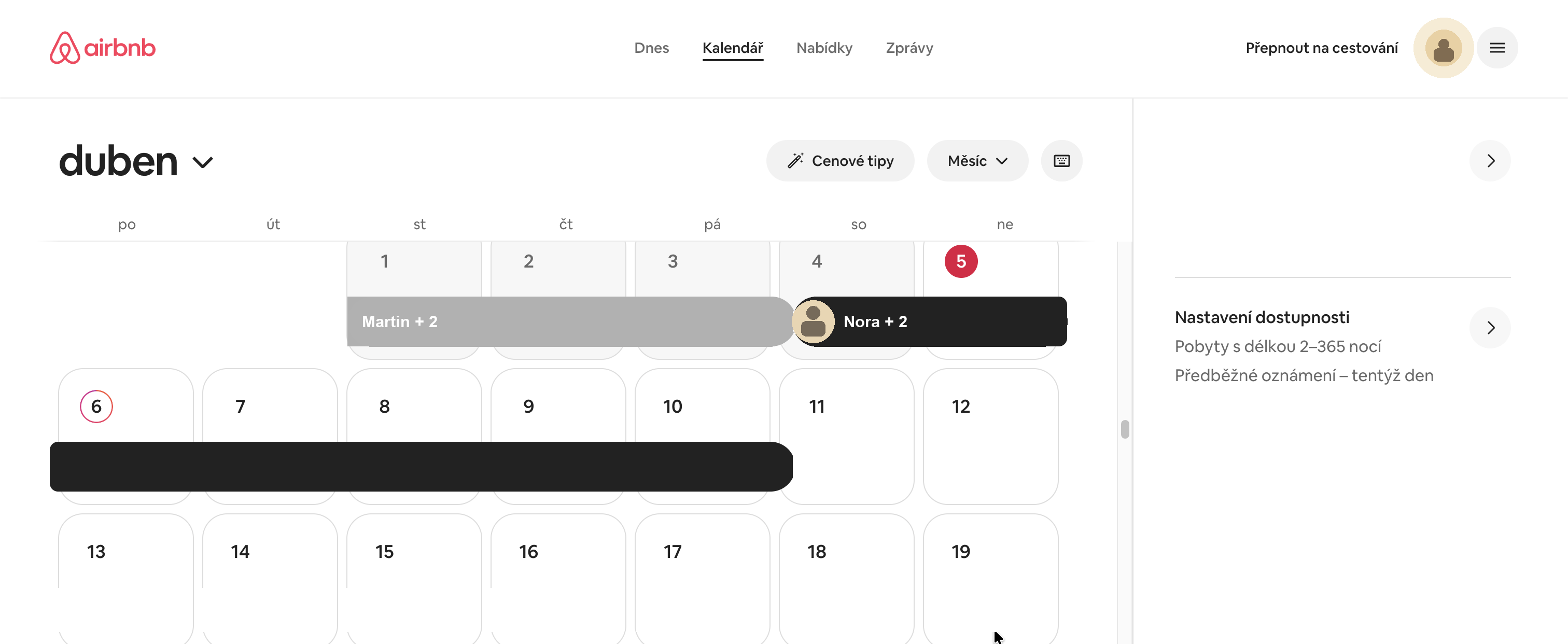
Start in the calendar for the correct listing. 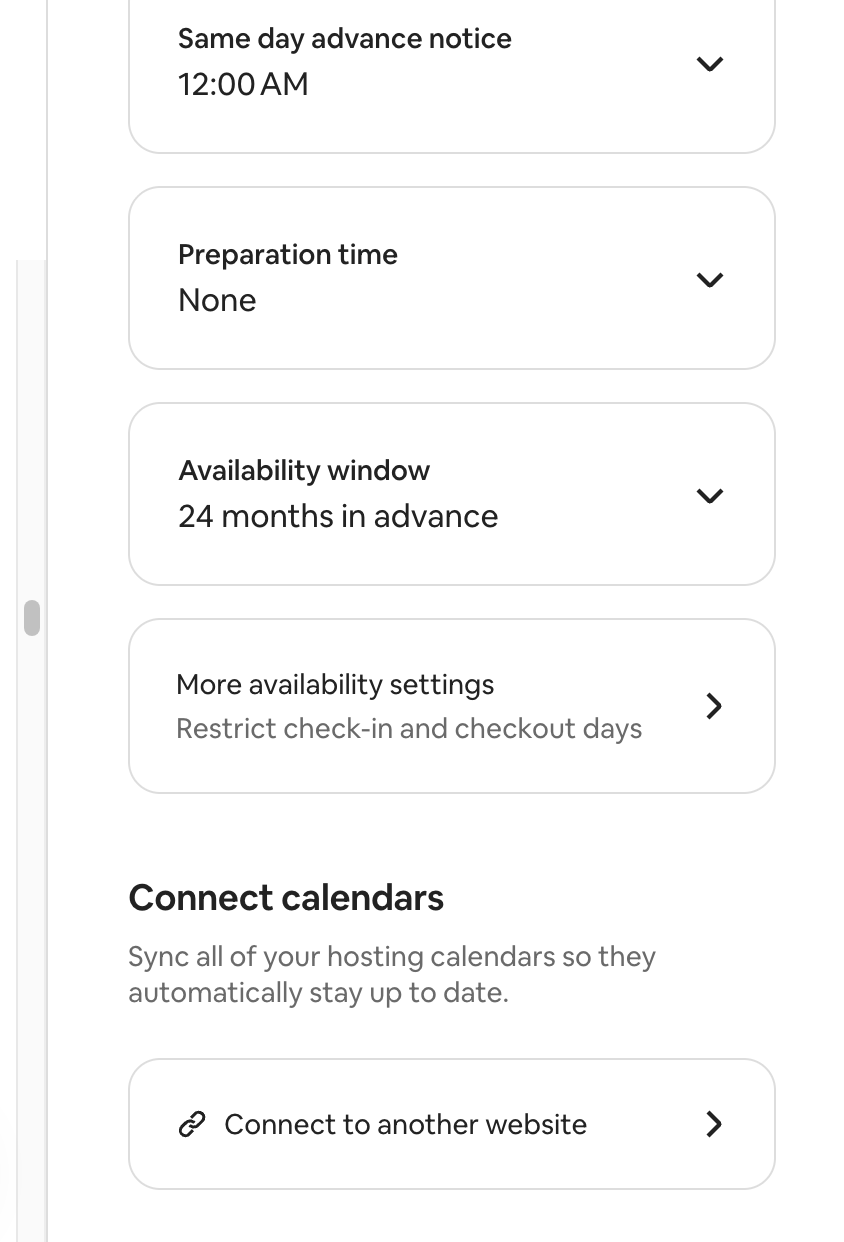
In availability settings, look for Connect calendars.
Paste it into Superhostem
- open the specific property
- find the calendar or iCal section
- paste the copied iCal URL
- name the source, for example Airbnb or Booking
- save the setting
Check before continuing
- you copied the full link, not only part of it
- for multiple units, the right calendar is matched to the right property
- reservations or blocks appear in Superhostem
- dates match the source platform
Important Booking.com setting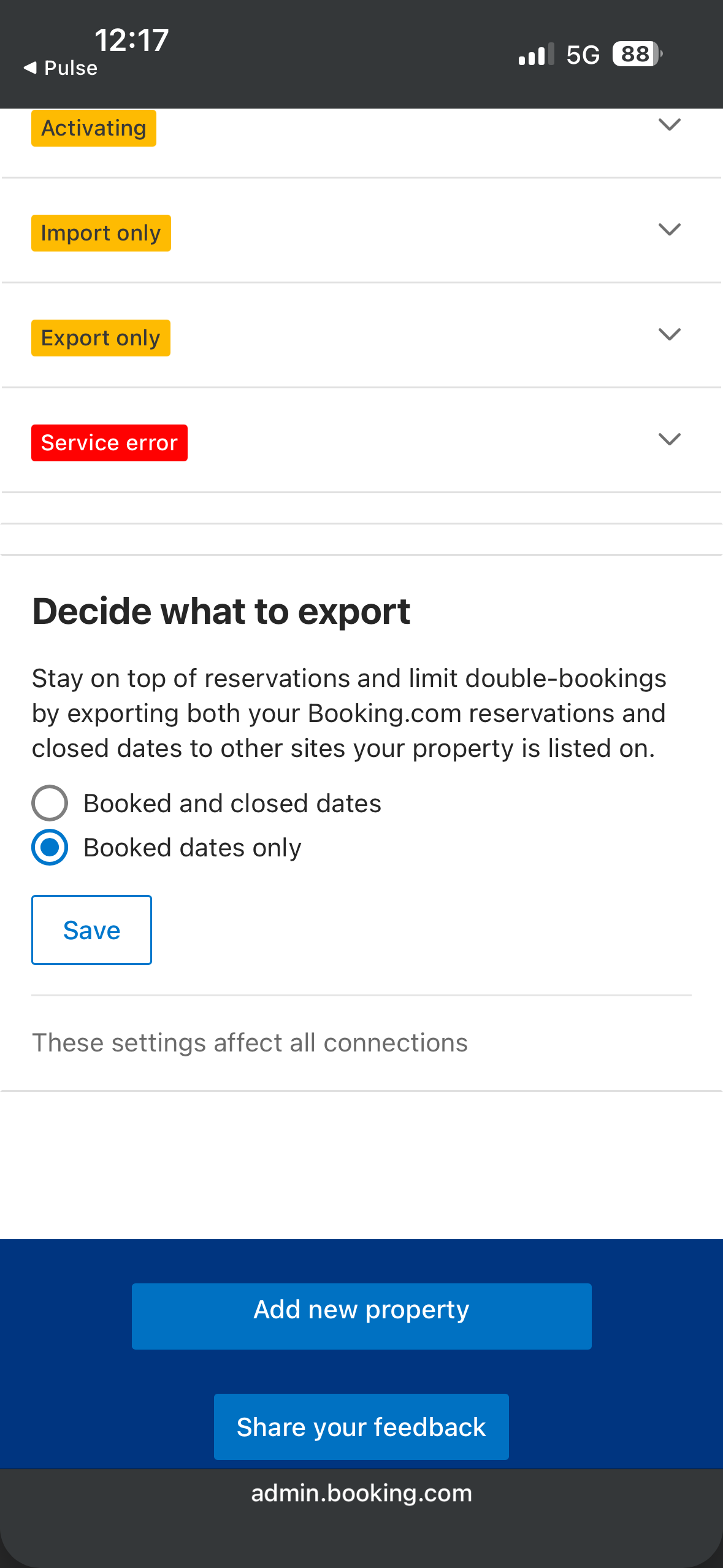
Select Booked dates only and click Save.
In Calendar → Sync calendars, copy the link, then select Booked dates only under Decide what to export and save. This imports reservations without dates closed by other rules.