Pay by scanning the QR code
Your banking app reads the amount, municipality account and configured payment references. Review and confirm the transfer in your bank.
QR payment · PDF · Czech data mailbox
Direct integration with Moje datová schránka. Superhostem prepares the recipient, subject and PDF report. Simply sign in, review the message and confirm sending.
No retyping the message or attaching the PDF yourself. You stay in control of sending.
Prepared in Superhostem
Direct data-mailbox integration
Moje datová schránka · Czech data mailbox
Sign in. Review the message. Send.
Official Czech data-mailbox portalGo from the monthly overview to a prepared report without downloading and uploading attachments again.
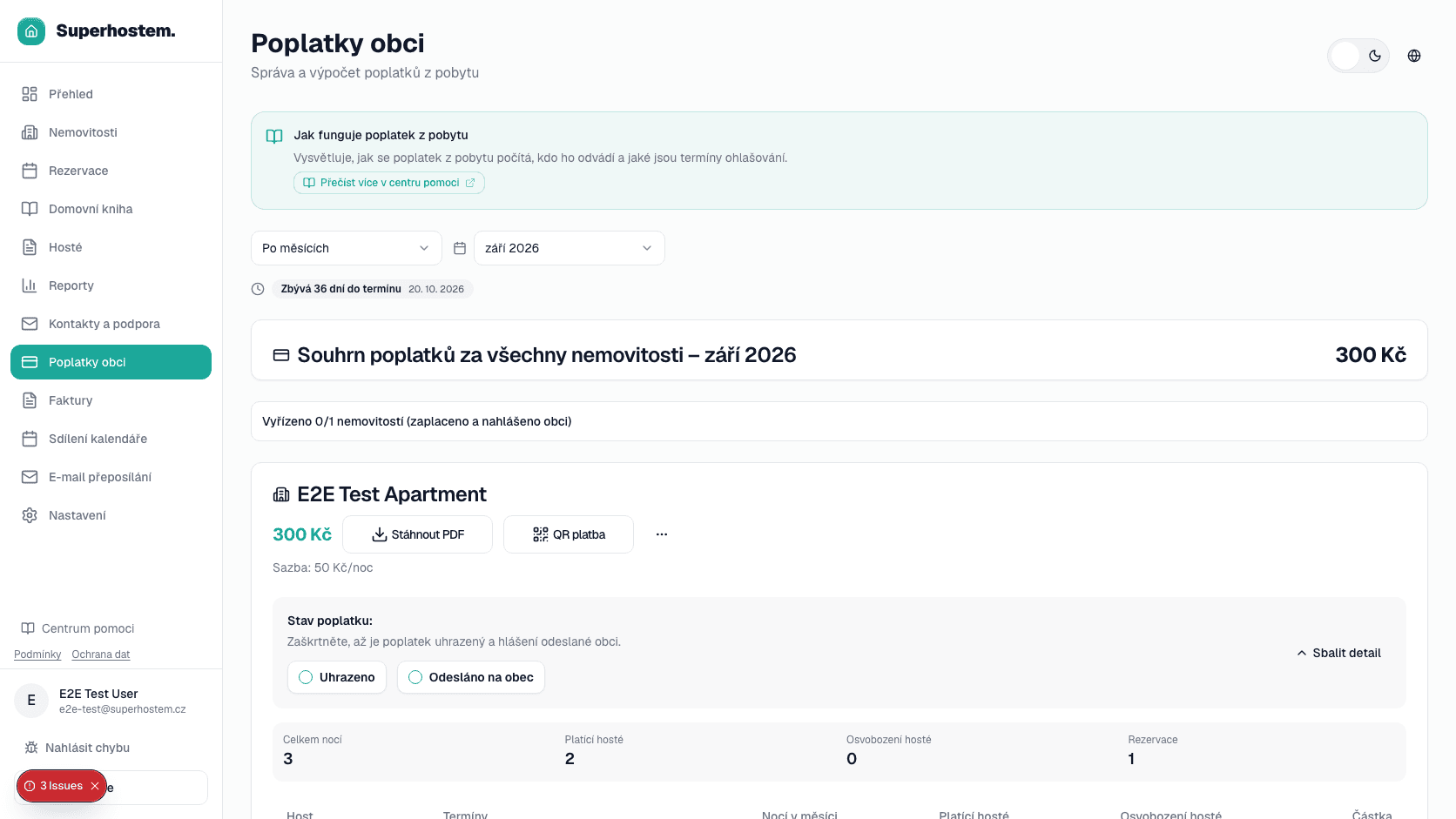
Review the amount, municipality and its data-mailbox ID in the fees overview. Choose to send the report.
Superhostem redirects you to the official Moje datová schránka portal. You sign in directly there.
A prepared message opens with the recipient, subject and PDF attachment. Review it and confirm sending.
Reporting and payment are separate steps. The details are ready for both.
Your banking app reads the amount, municipality account and configured payment references. Review and confirm the transfer in your bank.
Save or print the overview for your chosen period. When sending through the data mailbox, we attach the monthly PDF for you.
Add the municipality details, data-mailbox ID, bank account and payment references to the property. Future reports use these settings.
What you need and which steps you confirm yourself.
No. The direct integration passes the recipient, subject and monthly PDF report to the data mailbox. You sign in, review everything and send.
No. You send the message after reviewing it in your data mailbox. Separately, you confirm the QR payment in your banking app.
Your own Czech data mailbox and the correct municipality and its data-mailbox ID in the property settings. QR payments also need the bank account and payment references. Choose the reporting period and submission method according to your municipality’s rules.
Collect guest details as you go. Your report, PDF and QR payment will be ready in one overview.
Try for free