For you: calendar-app subscription
Copy the iCal link to Google Calendar, Apple Calendar, Outlook or another iCal app.
Shared reservation calendar
Add reservations to Google, Apple or Outlook. Send your team a separate web link and choose exactly what they see.
No extra cleaner account · revoke the link any time
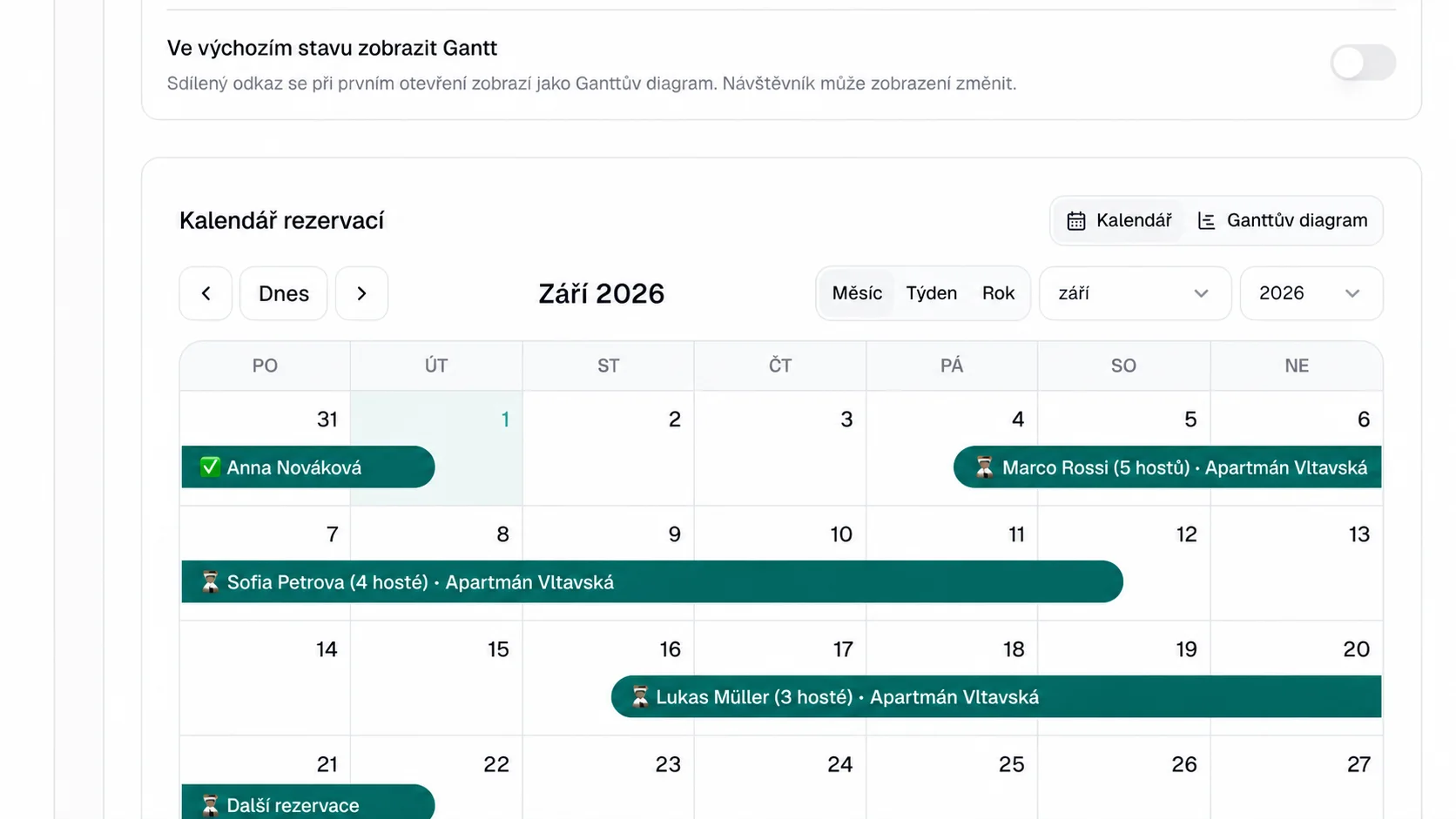
Keep your own calendar in your daily app; give cleaners or managers a simple view without login.
Copy the iCal link to Google Calendar, Apple Calendar, Outlook or another iCal app.
Create a browser link showing only the details you allow.
Choose one property or the whole operation and configure each detail separately.
Arrival, departure and times stay clear on each reservation.
Show the bed count; reveal the name only when genuinely needed.
Show or hide these independently.
Name it by recipient and revoke it any time.
Short answers about sharing your calendar.
No. They open the web calendar through a unique link in any standard browser.
iCal is a subscription in your calendar app. The web calendar is a standalone link intended mainly for the team, cleaners, or property manager.
Yes. Each web link can show one property or all active properties.
Revoke it in the administration. The original link will stop showing the calendar.
Try the shared calendar on one property. The first 3 months are free.
Try for free